



Visual Lyrics: Generating Animated Text for Music Lyric Videos with an Augmented Text Editor
Visual Lyrics generates animated text for music lyric videos, combining music analysis and LLM-generated animation code in an augmented text editor.

Summary
Animated lyric videos transform song lyrics into dynamic visual experiences, offering a powerful medium for artistic expression and audience engagement. However, creating these videos is challenging, requiring expertise in audio, typography, graphic design, and animation, making it inaccessible to novices. To address this challenge, we introduce Visual Lyrics, a proof-of-concept system for generating animated lyric videos controlled with an augmented text editor interface. We examined existing lyric videos to distill a taxonomy and design guidelines, informing the design of Visual Lyrics. Our key insight is a multimodal music analysis pipeline based on the taxonomy and leveraging LLM's strong natural language understanding and code generation capabilities to synthesize creative and semantically meaningful animations. We collected a dataset of over 300 code-driven creative text animations to serve as inspiration for our LLM-driven pipeline, which we open source. In a user study, Visual Lyrics enabled novices to easily create high-quality animated lyric videos with high ratings of enjoyment, inspiration, and exploration.
Video
Background
Animated lyric videos show a song's lyrics as moving text and images, and they have grown popular with music artists and content creators on YouTube and TikTok. However, making one takes skill in audio, typography, graphic design, and animation. Animating by hand in After Effects can take hours for a few seconds of video, while templates often give generic "karaoke-style" captions that do not match the meaning or mood of the song.
To understand how creators stylize lyrics, we examined 20 tutorials, including ones from Adobe and from artists, and 50 animated lyric videos from YouTube, and built a taxonomy of word stylizations. Creators add an Image for words that are concrete objects or metaphors, change the Visual look of the font for words about size, color, or emotion, and add an Animation to words about motion. Some stylizations follow how the singer sings rather than what the words mean. For example, louder words get bigger text, and words sung with vibrato get a pulsing animation.

Method
We present Visual Lyrics, a proof-of-concept system for generating animated lyric videos, controlled with an augmented text editor. Visual Lyrics analyzes the lyrics and vocals of a song to suggest words to stylize, then uses an LLM to write HTML, CSS, and JavaScript code that animates them. It works in three stages: Planning, Generation, and Validation.

Design Goals
Based on our analysis of existing lyric videos, we designed Visual Lyrics with three design goals:
- Analyze audio and language. Find words to stylize from both the lyrics and the vocals.
- Support diverse stylizations. Create supporting images, font styles, and custom animations, writing the text effects as code instead of using a fixed set of presets.
- Maintain readability. Automatically check that the text stays readable.
Augmented Text Editor
The interface (shown at the top of the page) has two panels. The Annotation Panel on the left shows the lyrics with words already annotated as Image, Animation, or Visual, and the user can add or remove annotations to choose what to emphasize. The Generation Panel on the right shows the animated scene for each lyric line and the instruction the LLM wrote for each annotated word. The user can regenerate an instruction to get a new suggestion, such as "hop randomly in place as if on a hot surface" for "jiggle", or edit it in their own words.
Image, Animation, and Visual Stylizations
Image. Generates a supporting graphic for words that are concrete objects or metaphors.
Animation. Animates the word itself, for words about motion or words sung with a pitch shift, an elongated note, or vibrato.
Visual. Changes the font family, size, or color, for words about size, color, or emotion, or words sung loudly or quietly.
Planning
Visual Lyrics separates the vocals with Spleeter and transcribes the lyrics with WhisperX. For audio annotations, it finds words sung with high or low energy, a pitch shift, a long sustained note, or vibrato. For language annotations, an LLM (Claude 3.7 Sonnet) finds image, animation, and visual words. For each annotated word, the LLM then writes an idea prompt describing the effect or image to create.
Generation
Generation is split across four LLM-based agents. The Creative Director writes a theme (mood, colors, fonts, and animation style) from the song's tempo, energy, and lyrics, so that all scenes look consistent. The Illustrator generates images with FLUX.1 Schnell, fine-tuned with LoRA on Apple emoji designs. The Layout Designer writes HTML and CSS for each lyric line. We chose code over bounding-box coordinates because, in our early versions, LLMs struggled to give correct numbers for positions, which often led to misaligned and overlapping layouts. The Animator then adds animations with HTML, CSS, and JavaScript, using the three most similar examples from our dataset (see Dataset below) as references.
Validation
The Creative Director checks each agent's output and asks the agent to redo it when a check fails. It compares each image's caption (from LLaVA) to its prompt with CLIP, and checks that all elements stay in the frame, the text is readable (using OCR) and not covered, and images are not too large.
User Study
We conducted a user study with ten novice creators (P1-P10, 7 female and 3 male, aged 18 to 38) who were familiar with watching animated lyric videos but less familiar with making them. In one hour, each participant recreated a lyric video for "Jiggle Jiggle" with a guided brief, then made a lyric video for their own song or one of twelve songs we provided. Afterward, they rated creativity support (Creativity Support Index), usability (System Usability Scale), their overall experience, and the quality of their final video on 5-point Likert scales. We also logged how they annotated and edited.
Generally, participants were satisfied with their overall experience and their final videos. They rated usability highly, including how well the tool's parts were integrated, and rated creativity support highly, including enjoyment and effort/reward tradeoff. P2 said the tool made "creative animations that probably would have taken me hours in CapCut".


Participants added all three annotation types about equally often, but regenerated and edited Visual stylizations less, as they were generally more satisfied with the generated ones. They usually edited image prompts to be more specific (for example, "gold coin" to "a shimmering stack of gold coins") and animation prompts to change intensity (for example, "bouncing up and down" to "bouncing gently up and down").

Some participants annotated the lyrics first and then refined the details (P2, P6, P8), while others went back and forth between annotating and editing (P5, P7, P10). The audio-based suggestions also led to some surprises. For example, P9 found that the word "heart" got an oscillating animation that matched the singer's vibrato.

Example Results
Below are lyric videos generated with Visual Lyrics for songs across genres. The videos include audio.
More Creative Stylizations
Failure Cases
Dataset
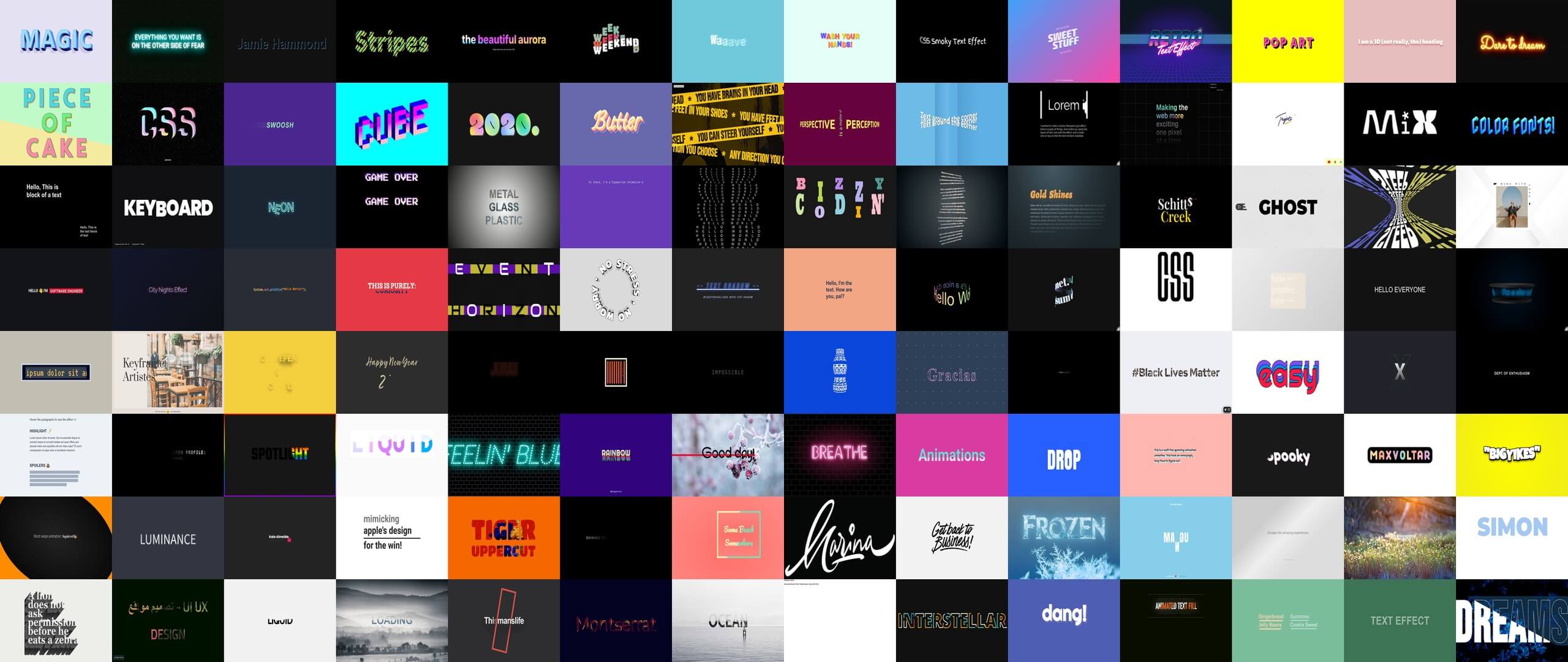
We collected a dataset of 306 code-driven creative text animations from CodePen to serve as inspiration for our generation pipeline, which we open source. It includes static styles, such as neon glow and metallic text, and animations, such as text that disappears like smoke. Each snippet is labeled with a description of the effect, tags aligned with our taxonomy, and its animation type.
Citation
@inproceedings{lin2026visuallyrics,
  author    = {Lin, David Chuan-En and Nguyen, Cuong and Shin, Hijung Valentina and Martelaro, Nikolas},
  title     = {Visual Lyrics: Generating Animated Text for Music Lyric Videos with an Augmented Text Editor},
  booktitle = {Proceedings of the 31st International Conference on Intelligent User Interfaces},
  series    = {IUI '26},
  year      = {2026},
  pages     = {1514--1525},
  numpages  = {12},
  publisher = {Association for Computing Machinery},
  address   = {New York, NY, USA},
  doi       = {10.1145/3742413.3789072},
  url       = {https://doi.org/10.1145/3742413.3789072},
  location  = {Paphos, Cyprus}
}